AI Linter for GitHub: Automating Coding Standards and PR Reviews
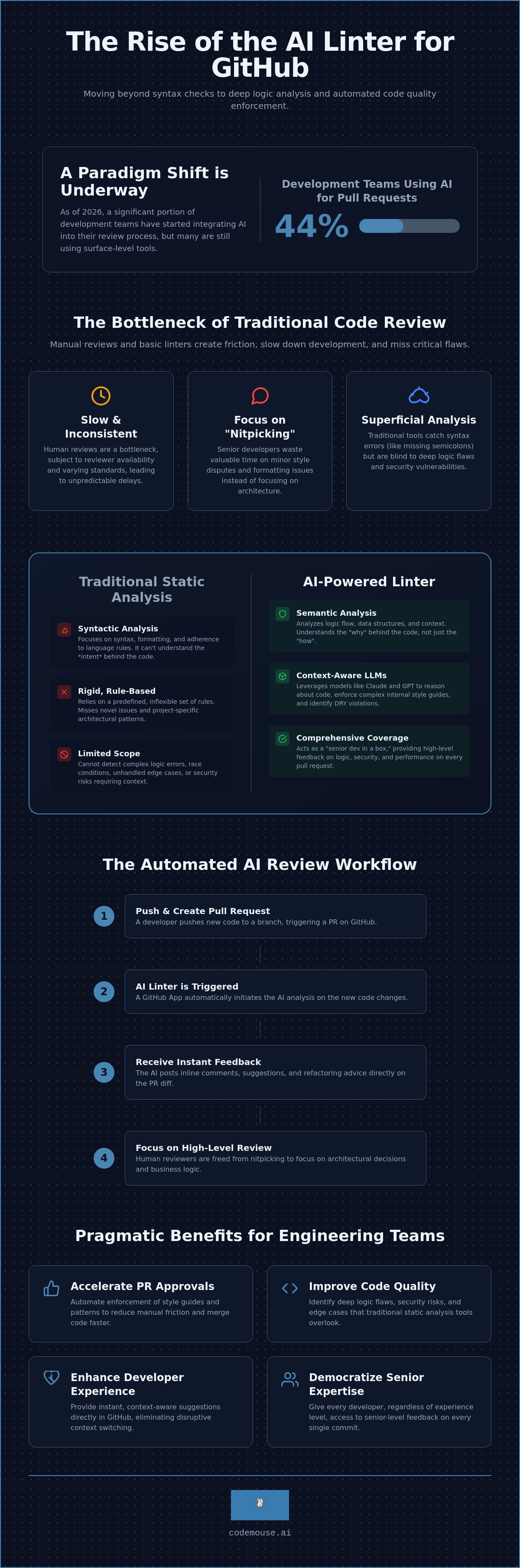
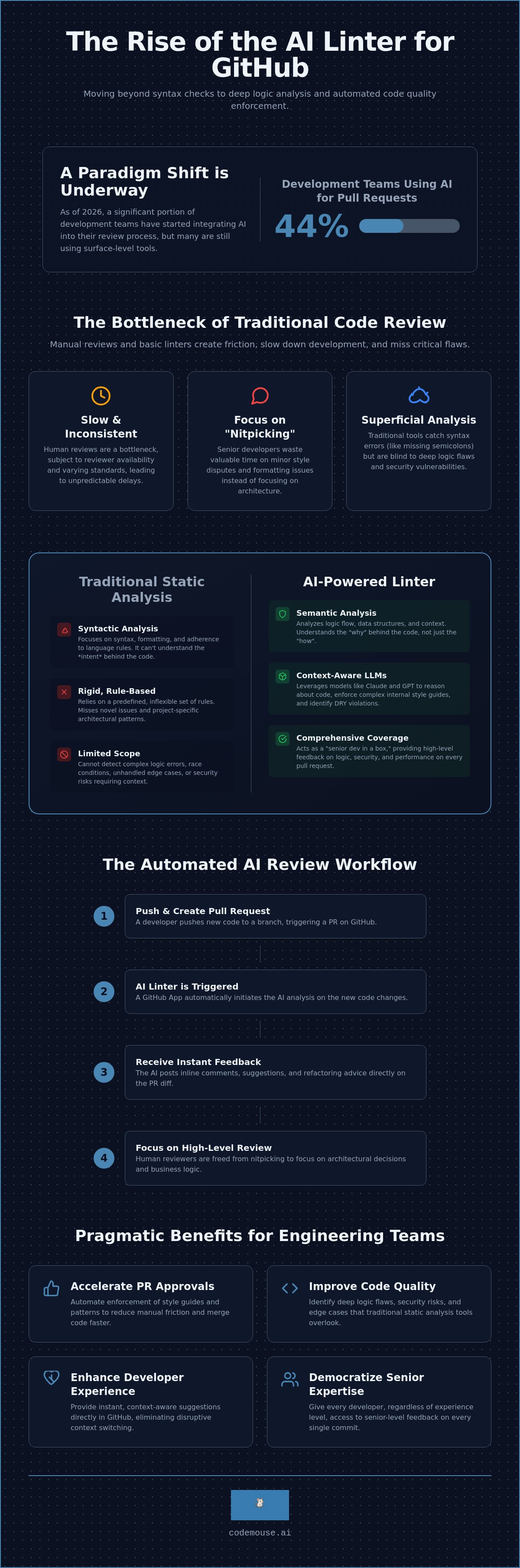
44% of development teams are using AI for pull requests as of July 2026. Most, however, still rely on tools that only catch missing semicolons. Traditional static analysis can't identify the deep logic flaws that actually break production. Manual reviews remain a bottleneck. They're slow, inconsistent, and often delayed by minor style disputes.
If you're tired of manual "nitpicking" delaying your merges, an AI linter for GitHub offers a pragmatic solution. These tools move beyond syntax to enforce complex logic and internal style guides automatically. You'll learn how AI linters provide senior-level feedback on every PR, ensuring consistency across your entire codebase.
This article explores how to implement automated reviews to speed up your turnaround times. We'll cover the transition from basic syntax checking to logic validation and how to keep costs predictable as your team scales. You'll gain a clear path toward higher code quality with less manual effort.
Key Takeaways
- Understand how LLM-powered inspection identifies deep logic flaws and security risks that traditional, rule-based static analysis often overlooks.
- Automate the enforcement of internal style guides and architectural patterns to reduce manual friction and accelerate PR approval times.
- Learn to set up an AI linter for GitHub as a native app to provide your team with instant, context-aware refactoring suggestions.
- Evaluate the pragmatic benefits of multi-model integration, using Claude and GPT to increase feedback accuracy across complex codebases.
Table of Contents
What is an AI Linter for GitHub?
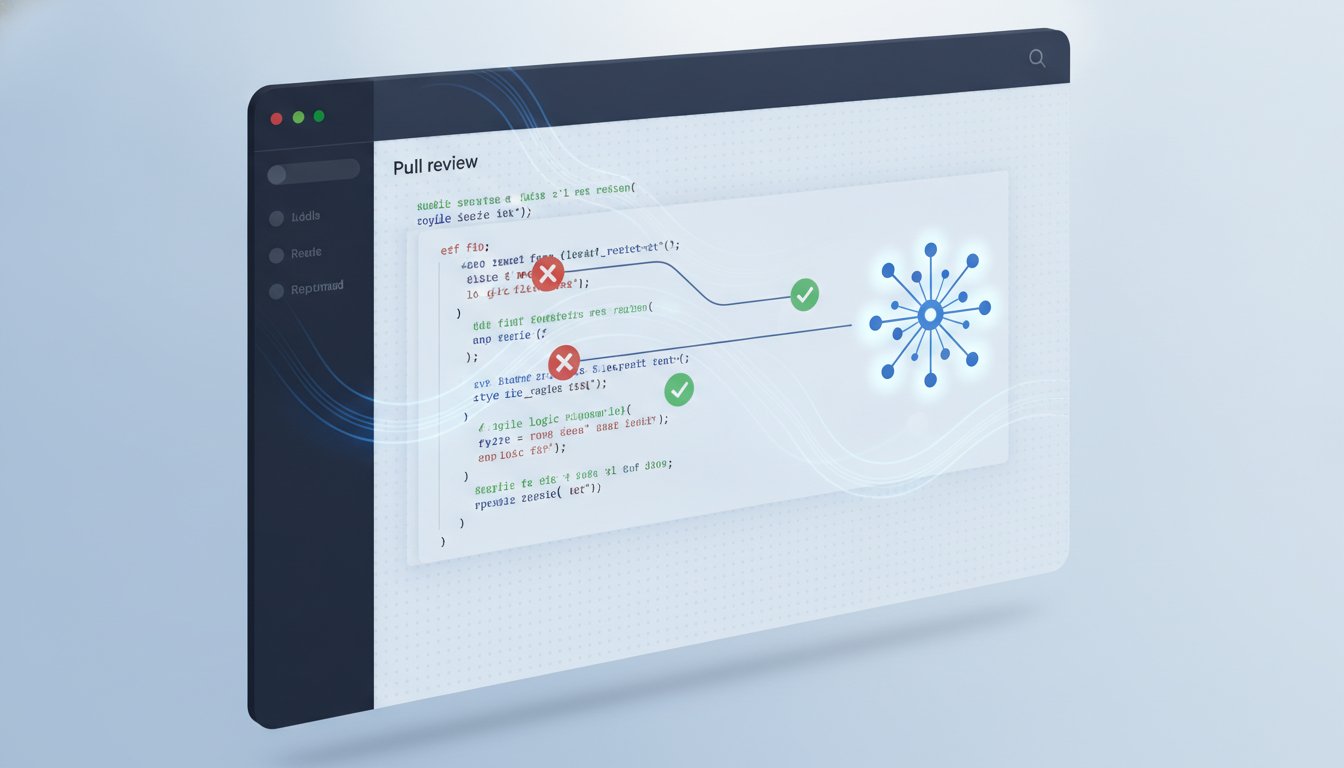
An AI linter is a tool that uses Large Language Models (LLMs) to inspect code for logic, security, and style. It functions as a semantic bridge between basic static program analysis and manual peer review. By leveraging models like Claude and GPT, an AI linter for GitHub doesn't just look for missing brackets or trailing whitespace. It understands the intent behind the code. Integration occurs directly through GitHub Apps or Actions. This allows the tool to provide inline comments on pull requests. It catches errors before a human reviewer even opens the link. This saves hours of manual effort across every development cycle.
Traditional tools are limited by predefined rules. They can't reason about why a specific block of code exists. An AI linter for GitHub fills this gap. It interprets the context of a change. It evaluates how new code interacts with existing modules. This creates a "senior dev in a box" effect. Every developer gets immediate, high-level feedback. The result is a cleaner codebase and faster merge times. It's about moving from simple pattern matching to genuine logic validation.
Syntactic vs. Semantic Analysis
Traditional linters like ESLint or Pylint focus on syntax and formatting. They ensure code is "legal" according to language rules. They're fast but rigid. They can't tell if a function's logic is flawed or if a critical edge case is ignored. AI linters perform semantic analysis. They analyze logic flow and data structures. This is critical for enforcing complex coding standards that go beyond tabs versus spaces. If a developer uses a deprecated pattern or creates a potential race condition, the AI identifies the risk based on context. It understands the "why" instead of just the "how."
The Role of GitHub Apps in Automation
Reliable automation depends on seamless integration. GitHub Apps trigger reviews automatically on every push or PR creation. This removes the need for manual intervention. The primary benefit is the developer experience (DX). Inline comments appear exactly where the issue exists in the diff. This makes refactoring immediate. Developers don't have to context-switch to a separate dashboard. Modern GitHub automation uses fine-grained permission scopes. These apps only access the specific repositories and metadata they need. This ensures security while maintaining a high velocity for the engineering team.
By automating the initial pass of a review, teams eliminate the "nitpicking" phase. Human reviewers can then focus on high-level architectural decisions. This distribution of labor makes the entire PR process more efficient. It turns the linter into a silent partner in the development workflow.
Enforcing Coding Standards with AI
Traditional linting stops at syntax. An AI linter for GitHub moves the boundary to include the "unwritten" rules of a repository. These include architectural patterns, specific naming conventions, and project-specific idioms that standard regex-based tools miss. AI models interpret the intent behind the code. They ensure that new contributions align with the existing structural philosophy. This level of enforcement transforms a linter from a basic formatter into a guardian of codebase integrity.
Human code reviews often degrade into "nitpicking" over style and minor conventions. This exhausts senior engineers and delays features. Automating these checks allows teams to reclaim hours of high-level engineering time. Consistency across large, distributed codebases becomes manageable. When the AI handles the repetitive task of enforcing standards, the human review focuses on business logic and system design. This division of labor creates a faster, more predictable development pipeline.
Modern models like Claude and GPT-4o excel at identifying DRY (Don't Repeat Yourself) violations. They recognize semantic similarities across disparate files. If a developer recreates a utility function that already exists in a different module, the AI flags it. It suggests the existing implementation instead of allowing code bloat. This prevents the gradual decay of the codebase and keeps the maintenance burden low.
Automated Code Review Best Practices
Success with AI enforcement requires clear objectives. Define whether the AI should prioritize security, performance, or strict adherence to a specific style guide. Using automated code review is a strategy to supplement human oversight, not replace it entirely. It acts as a first-pass filter. Teams should iterate on feedback loops. If the AI flags too many false positives, refine the instructions or the context provided to the model. This ensures the tool remains a utility rather than a nuisance.
Catching Logic Errors and Edge Cases
AI identifies complex runtime risks before they reach production. This includes potential null pointer exceptions, race conditions, or unhandled promise rejections. By evaluating the logic flow, an AI linter for GitHub verifies that new code matches established design patterns. It also ensures compliance with industry-specific standards like OWASP for web applications. The AI code review process evaluates vulnerabilities that static analysis might ignore, providing a deeper layer of security for every pull request.
For teams seeking a pragmatic approach to these standards, CodeMouse provides the necessary infrastructure to automate these checks with zero configuration overhead.
AI Linters vs. Traditional Static Analysis
Static analysis tools are fast but rigid. They rely on Abstract Syntax Trees (ASTs) to identify violations of hard-coded rules. If a rule isn't explicitly defined, the tool ignores the issue. An AI linter for GitHub operates differently. It uses Large Language Models to interpret code contextually. While traditional tools check if code is "legal," AI checks if code is "logical." This allows for a deeper level of inspection that standard pattern matching cannot achieve.
AI linters provide detailed explanations and refactoring suggestions. A traditional linter might flag a long function. An AI linter will explain why that function is complex and provide a refactored version that follows clean code principles. This reduces the cognitive load on developers. They don't just see an error; they see a solution. This shift from simple reporting to active assistance changes the developer experience entirely.
False positive rates differ significantly between these approaches. AST-based tools have zero false positives for syntax errors but generate significant "noise" for style rules that may not apply to a specific context. LLMs can occasionally hallucinate, but they excel at filtering out irrelevant warnings by understanding the developer's intent. The most effective workflow is a hybrid approach. Use traditional linters for formatting and syntax. Use an AI linter for GitHub for logic, security, and architectural consistency.
Speed vs. Depth of Review
Static tools run in milliseconds. They're ideal for local pre-commit hooks. AI reviews take seconds to minutes depending on the model and the size of the diff. To maintain productivity, trigger each tool at the correct stage of the CI/CD pipeline.
- Run static linters locally to catch formatting errors instantly.
- Trigger AI reviews on PR creation to provide high-level feedback.
- Optimize the feedback loop by ensuring AI comments appear directly in the GitHub diff.
Cost and Resource Management
Traditional tools are typically free or open-source. AI requires API credits or subscription fees. Teams must manage the trade-off between review quality and operational cost. According to recent industry data, an AI review via a "Bring Your Own Key" (BYOK) model costs between $0.05 and $0.15 per request. This is a negligible expense compared to the hourly rate of a senior engineer. Implementing AI code review for GitHub scales better than hiring more senior reviewers as your team grows. It provides a consistent baseline of quality that is available 24/7 without increasing headcount.
Implementing an AI Linter Workflow on GitHub
Deploying an AI linter for GitHub is simpler than configuring traditional self-hosted linting servers. You don't need to manage Docker containers or maintain complex message queues. Modern workflows utilize native GitHub Apps to bridge the gap between your repository and the LLM. This setup ensures that every pull request receives a logic-aware review without manual intervention. The integration happens at the organization level, providing a centralized way to manage standards across all repositories.
- Step 1: Select an App. Choose a tool that supports high-reasoning models like Claude 3.5 Sonnet or GPT-4o.
- Step 2: Configure Permissions. Grant the app access to your repositories. This allows it to listen for pull_request webhooks and post inline comments directly in the diff.
- Step 3: Define Context. Provide the AI with your internal documentation or style guides. This prevents generic advice and focuses feedback on your project-specific requirements.
- Step 4: Tune Strictness. Monitor the initial batch of PRs. If the AI is too pedantic, refine the system prompts to ignore minor stylistic choices that don't impact code health.
- Step 5: Close the Loop. Integrate feedback into the development cycle. Encourage developers to treat AI comments as peer suggestions that require resolution before merging.
Configuring Context-Aware Feedback
An AI linter is only as effective as the context it receives. Feed the model project-specific metadata. Link your project's README or a dedicated CONTRIBUTING.md file. Setting up system prompts allows you to enforce specific coding standards, such as "always use functional components" or "prefer composition over inheritance." When dealing with legacy codebases, use incremental adoption. Configure the linter to only analyze the incoming diff. This prevents the AI from flagging thousands of pre-existing violations, keeping the focus on new contributions and preventing developer burnout.
Handling Multi-Model Consensus
Hallucinations are a known risk with any LLM. Comparing feedback from multiple models, such as Claude and GPT, significantly reduces these errors. Implement logic that only flags issues where both models agree. This increases trust in automated comments. When a developer sees that two independent models identified the same race condition, they are more likely to prioritize the fix. Consensus-driven reviews provide a higher signal-to-noise ratio than single-model systems. This approach turns the linter into a reliable safety net for your production code.
To simplify this process, CodeMouse AI Code Review offers a native GitHub App that handles multi-model consensus with zero infrastructure management.
CodeMouse: The Efficient AI Linter for GitHub
CodeMouse simplifies the deployment of an AI linter for GitHub by operating as a native integration. It requires zero configuration. Once installed, it automatically monitors pull requests and provides context-aware feedback using advanced LLMs. This approach eliminates the maintenance overhead associated with self-hosted scripts or complex CLI wrappers. You get a professional grade review system that works immediately within your existing GitHub environment.
The platform supports high-fidelity models including Claude 3.5 and GPT-4o. These models provide the semantic depth necessary to catch logic flaws that traditional tools miss. By integrating directly as a GitHub App, CodeMouse delivers feedback where developers already work. It posts inline comments that explain the reasoning behind every suggestion. This turns the linter into a functional tool for both quality assurance and developer education.
Predictability is central to the CodeMouse philosophy. It charges a flat $10/month fee for an entire GitHub organization. This includes unlimited repositories and team members. You don't have to worry about per-seat costs or usage throttling during high-velocity sprints. It's a pragmatic choice for growing teams who need unlimited reviews without the standard SaaS markup.
Why Flat Pricing and BYO Keys Matter
Most AI tools hide their margins inside bundled token costs. CodeMouse uses a "Bring Your Own API Key" (BYOK) model. You provide your own keys for Anthropic or OpenAI. This ensures you pay the raw provider rates for AI tokens. Industry data shows a typical review costs between $0.05 and $0.15. This model eliminates middleman markups and provides full transparency. You maintain absolute control over your AI infrastructure costs. You also avoid the risk of service throttling that often occurs with shared-pool AI subscriptions.
Getting Started with CodeMouse
Installation is straightforward. You can install the GitHub App and connect your API keys in under two minutes. The tool immediately begins analyzing new pull requests based on the context of your repository. This allows you to test the multi-model consensus features and logic validation on live code without a long setup process.
- Install the app from the GitHub Marketplace.
- Add your Anthropic or OpenAI API keys to the dashboard.
- Configure which repositories require automated reviews.
- Start your 14-day free trial to evaluate the feedback quality.
If you're ready to improve your PR turnaround times and maintain high standards, Try CodeMouse AI Code Review to automate your standards today.
Scaling Quality with Automated Logic Validation
Traditional static analysis catches syntax errors. AI catches the deep logic flaws that actually break production. By automating the senior-level feedback loop, teams maintain high code quality without increasing manual review time. Multi-model consensus and hybrid workflows provide a reliable safety net for every PR. This shift from syntax checking to logic validation is essential for modern engineering teams. Implementing an AI linter for GitHub is the most effective way to eliminate review bottlenecks and reclaim hours of engineering time every week.
CodeMouse provides the infrastructure to scale your standards pragmatically. It features a flat $10/month pricing model that keeps costs predictable as your repository count grows. The native GitHub App integration and multi-model consensus logic ensure that your developers receive accurate, actionable feedback directly in their diffs. This eliminates the need for expensive per-seat SaaS tools or manual infrastructure maintenance. Start your 14-day free trial of CodeMouse to automate your PR reviews today. Build faster with the quiet confidence that your internal standards are enforced on every push.
Frequently Asked Questions
Does an AI linter replace ESLint or Prettier?
No, an AI linter for GitHub is designed to complement traditional tools. ESLint and Prettier handle syntax and formatting with deterministic speed. AI linters focus on logic, security, and architectural consistency. You should use traditional tools for local pre-commit hooks and AI for deeper semantic analysis during the pull request stage.
How much does it cost to run an AI linter with my own API keys?
Running a review with the "Bring Your Own Key" model typically costs between $0.05 and $0.15 per request based on July 2026 usage data. CodeMouse charges a flat $10 per month for the entire organization. This model ensures you pay raw provider rates for tokens without middleman markups or usage throttling during peak hours.
Can an AI linter understand my private company coding standards?
Yes, you can provide project-specific context by linking internal documentation or style guides. By configuring system prompts, the AI learns to enforce your specific naming conventions and architectural patterns. This allows the tool to identify violations of "unwritten" rules that generic static analysis tools would ignore.
Is my code safe when using an AI linter for GitHub?
Security depends on the app's permission scopes. CodeMouse functions as a native GitHub App using fine-grained permissions to access only the repository metadata and contents needed for a review. Because you use your own API keys, your code data stays within your controlled environment with providers like Anthropic or OpenAI.
How do I reduce false positives in automated PR comments?
The most effective way to reduce noise is through multi-model consensus. CodeMouse compares feedback from models like Claude and GPT. It only flags issues where both models agree. You can also refine your system instructions to tell the AI to ignore specific minor stylistic choices that don't impact production code health.
Does CodeMouse support languages like Rust or Go?
Yes, CodeMouse supports any language that Claude and GPT models understand. This includes Rust, Go, Python, TypeScript, and Java. Since the tool analyzes the semantic intent and logic flow rather than just language-specific syntax, it provides high-fidelity feedback across almost any modern tech stack used today.
What is the difference between an AI linter and GitHub Copilot?
GitHub Copilot is primarily an IDE-based autocomplete tool for real-time drafting. An AI linter for GitHub acts as a dedicated review gatekeeper at the pull request stage. While Copilot offers diff-based reviews, a specialized AI linter provides a more robust workflow for enforcing standards and catching complex logic errors before a merge.